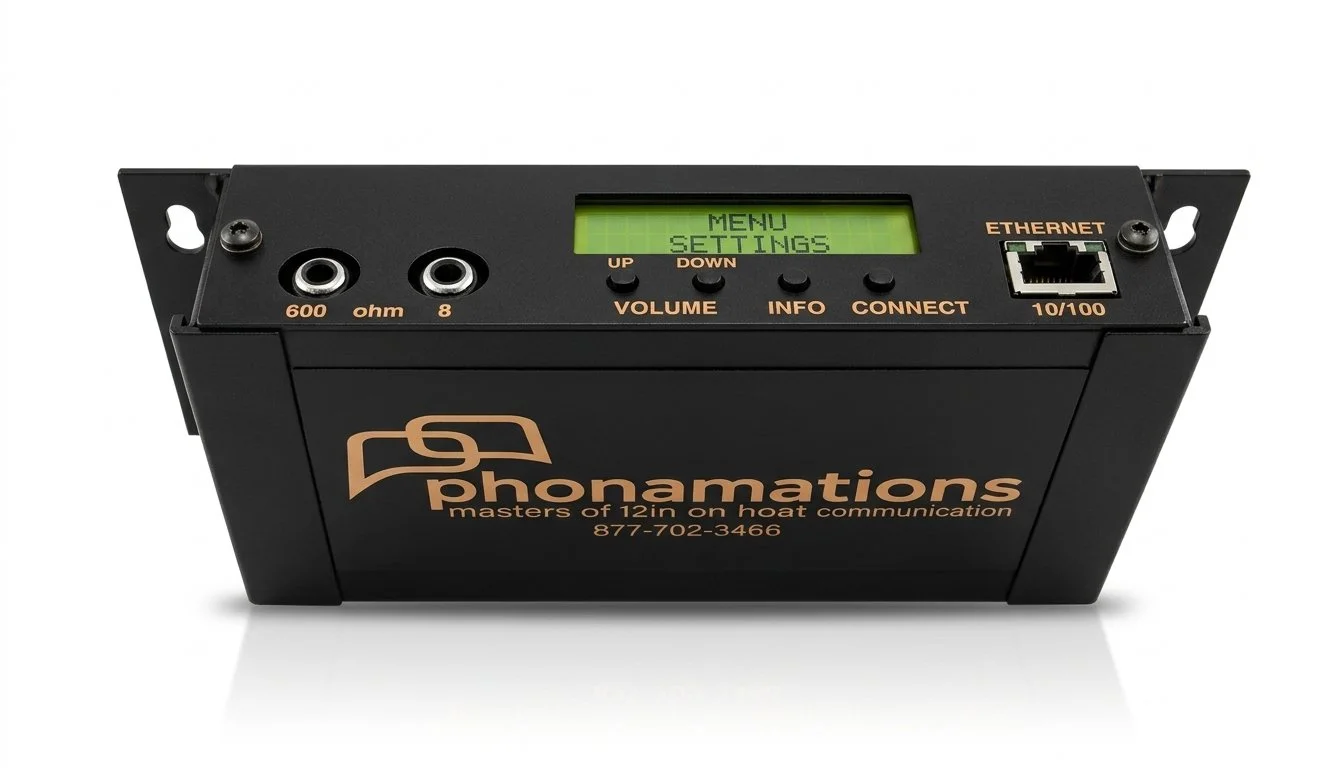
Flash Drive Upload Instructions
Please find the enclosed USB Drive/(s). It is for the Holiday “On Hold Message”. This should be inserted into the USB flash drive slot in the Phonamations On Hold Player located in the same room as the phone system (near phone system) as soon as possible. Please keep the current year round USB Drive and switch it back on Jan 3rd.
1. Press and hold the Info and Connect buttons (on front of player) until the screen reads "Hard Reset ready". Then release the buttons.
2. The unit will re-boot for the next 10-15 seconds. After it is done re-booting, insert the USB flash drive to the usb port on the BACK (other side) of the player
3. The unit will say "loading audio" while it loads the MP3 to its on-board memory.
The other USB Drive is to revert back after the holidays to the Year Round Message. Please be sure to have this secured to the player (with scotch tape or masking tape) so you can easily access it after the Holiday season. (January 3rd)
1. To confirm the switch, press the speaker button on BACK SIDE OF PLAYER and listen to the audio to confirm there is mention of HOLIDAYS OR ITS MUSIC.
2. ADDITIONAL CONFIRMATION THAT IT’S PLAYING ON PHONE SYSTEM. CALL FROM ONE LAND LINE TO ANOTHER IN THE FACILITY AND REQUEST TO BE PLACED ON HOLD.
3. Please let us know once complete by clicking on the link that was sent to you or by emailing fay@Phonamations.com